Never miss
your cue.
Cue listens to the interview, knows your résumé, and feeds you the answer — in your own words, the moment you need it. Invisible to every screen share.
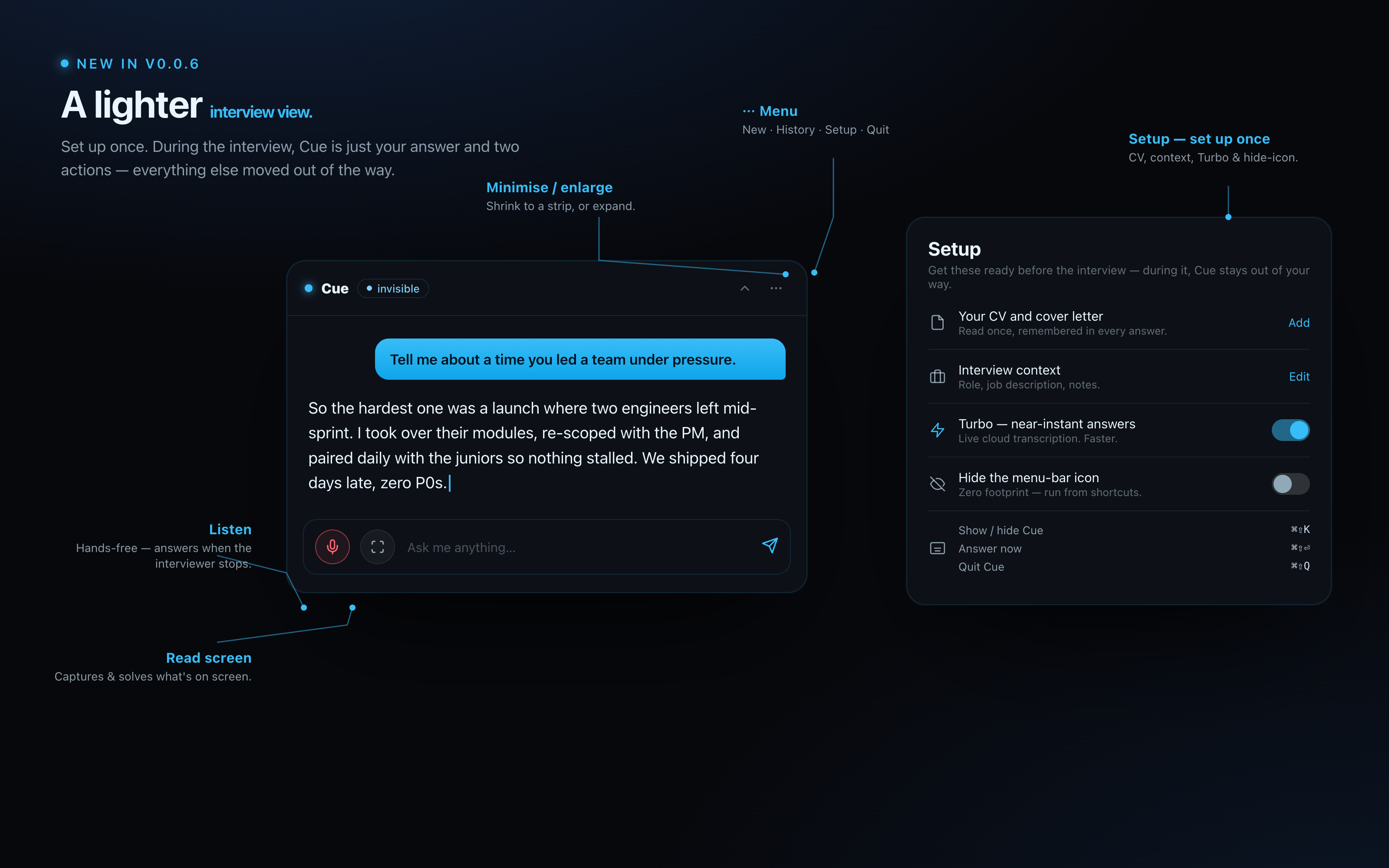
It hands you the line — as you speak.
They record everything. Cue isn't there.
Like a prompter in your ear.
Cue floats as a tiny panel over your call window — only you can see it. It reads the room, knows your story, and hands you the line.
Answers on cue
Type it or speak it. Cue replies in one tight, natural sentence — and with Turbo on, the answer starts the moment the interviewer stops.
Invisible to screen share
Cue's window is excluded from every macOS capture API. Zoom, Meet, Teams, QuickTime, OBS — none of them can see it. Visible to you, only.
Knows your story
Drop in your résumé and cover letter. Cue pulls your real projects, dates, and numbers into every answer — never inventing, never fabricating.
Listen, hands-free
Tap Listen and Cue follows the conversation, answering the moment a question lands. Transcription runs on your Mac by default — offline, private — or in the cloud with Turbo.
Reads your screen
Tap Read screen and Cue captures what's in front of you — code, an error, a slide, a take-home prompt — and answers or solves exactly what it sees.
Sounds like you
Answers come back in a relaxed, first-person voice — spoken, not written. No corporate filler, nothing that pings an AI detector.
Three steps. Then disappear into the conversation.
Set it up once. After that it's a keystroke away and gone the moment you don't need it.
Install
Download Cue, drag it to Applications, and grant Microphone access. About 60 seconds.
Set up once
Open Setup: drop your résumé, add the role and any notes, and flip on Turbo if you want near-instant answers. Cue reads it once and remembers everything.
Go live
Press ⌘⇧K and Cue shrinks to just your answer and two actions — Listen and Read screen. Nothing else in the way. ⌘⇧K again to vanish.
Built to stay unseen.
Invisibility isn't a setting in Cue — it's the foundation. The window never appears in a recording, a screenshot, or a live share.
- Excluded from every macOS screen-capture API
- Speech transcribed on-device — audio never uploaded
- No Dock icon, no app-switcher — hide the menu-bar icon too for zero footprint
- Collapses to a thin bar you can park anywhere
One price. Cancel anytime.
No per-question fees. No hidden limits. Just a fast, quiet partner in your corner.
- Unlimited live sessions
- Voice + text, on-device speech
- Résumé + cover-letter memory
- Screen-read for code & slides
- Invisible to all screen capture
- Mac & Windows — no browser plugins
Your line, right on cue.
Download Cue, add your résumé, and walk into your next interview with a partner nobody else can see.